
Tassomai App and AI resistance
Tassomai is now available as a desktop application on Windows, Mac and Linux, joining our existing iOS and Android apps, and we're excited to share why this matters for your school.
Teachers everywhere are rightly concerned about the impact AI tools are having on student education. Tools like Google Lens and similar AI browser-based extensions can 'read' the screen and provide the correct answer, making it very easy for students to cheat and avoid participating in their homework fairly.
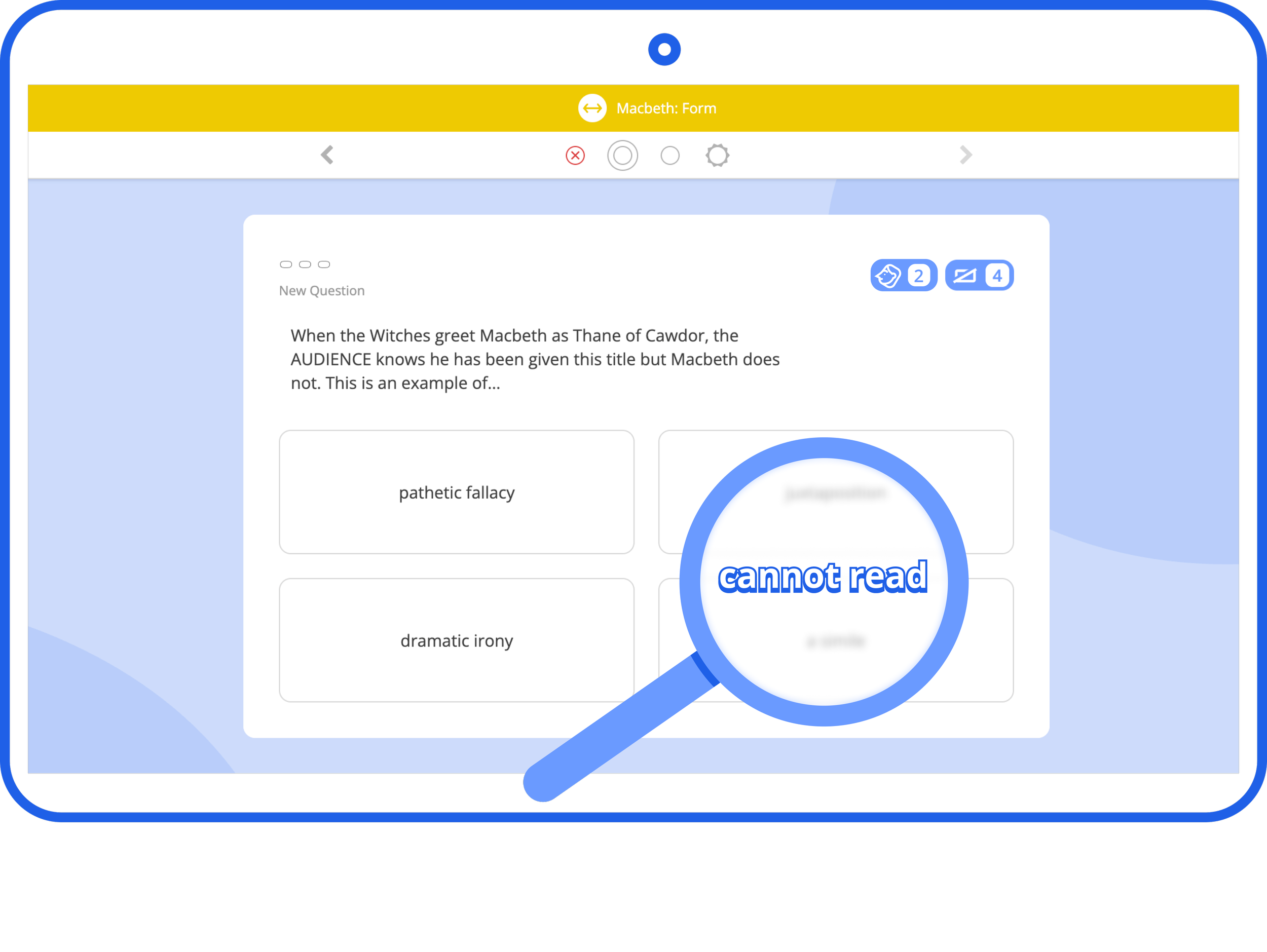
The good news is that by using the Tassomai App, available across device types and operating systems, we effectively block these AI web extensions from being used. It is vital to note that this vulnerability is not specific to Tassomai; any online activity or homework accessed via browsers is vulnerable to abuse with these novel tools. Tassomai, however, is pleased to be the first to provide a solution to the issue and make our homework "AI-resistant".
You may have already noticed some students being moved to the app outside of school hours. This was a deliberate pilot, and feedback from schools has been positive. We are working on adding the ability for schools to control this to the website and will update you as soon as it's released. In the meantime, you can contact us anytime, and we can switch your students over to the Desktop App for you - either outside of school hours or at all times.
We'd also recommend passing this on to your IT manager so they can begin preparing to install the Tassomai Desktop App on all school devices ahead of the change. This will help ensure a smooth transition when the time comes. The latest version is available for download at https://www.tassomai.com/download.
For help or more information, contact your account manager or reach our support team at admin@tassomai.com.